
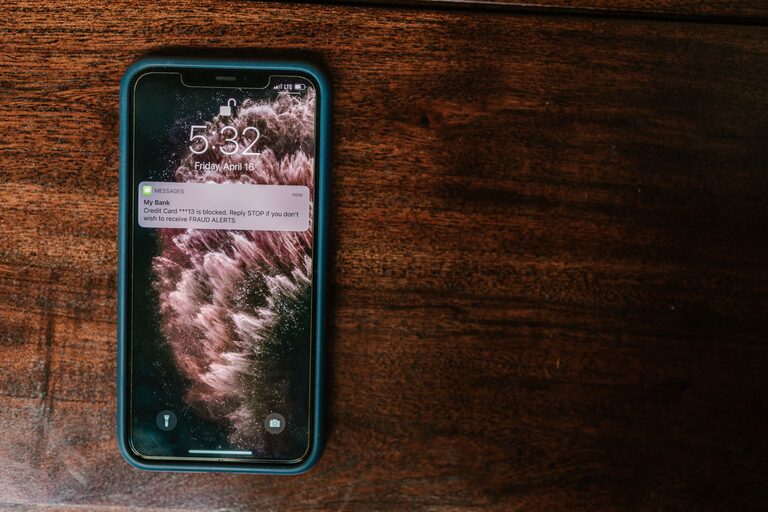
In today’s digital world, notifications pop up constantly—from emails and social media to messages and app alerts. While these notifications keep us connected, they can also interrupt our focus, increase stress, and reduce productivity. Setting boundaries around notifications is essential to maintaining a healthy balance between staying informed and staying in control.
This post will guide you through practical tips to manage your notifications effectively, helping you stay focused and mindful about how and when you engage with technology.
Why Setting Boundaries with Notifications Matters
Notifications are designed to grab your attention immediately. While some alerts are important, many are unnecessary interruptions that can disrupt your workflow and even affect your well-being. By setting clear boundaries, you can:
– Reduce distractions and increase concentration
– Lower stress and anxiety related to constant connectivity
– Gain back time that might otherwise be lost to frequent interruptions
– Feel more in control of your digital environment
Assess Your Current Notification Habits
Before making changes, take a few days to observe how notifications impact your day:
– How often do you receive notifications?
– Which notifications are truly important?
– When do notifications tend to interrupt your focus or relaxation?
– How do you usually respond to them—immediately, or do you ignore some?
Understanding your current habits will help you tailor your approach to notification management.
Practical Tips for Setting Boundaries with Notifications
1. Audit Your App Notifications
Go through the apps on your phone and computer and review their notification settings. Ask yourself:
– Does this app need to send me notifications?
– Can notifications be limited to essential alerts only?
Most devices let you customize notifications by app, so turn off those that are not important or adjust them to less frequent alerts.
2. Use “Do Not Disturb” and Focus Modes
Modern devices usually include “Do Not Disturb” or similar focus modes. Use these features to silence notifications during:
– Work or study sessions
– Meetings or appointments
– Sleep time or relaxation periods
You can often schedule these modes to activate automatically during certain hours.
3. Set Specific Times to Check Notifications
Instead of reacting to every alert immediately, schedule dedicated times to check emails, messages, and social media. For example:
– Check emails twice a day: mid-morning and late afternoon
– Review social media notifications once in the evening
This approach reduces constant distractions and helps maintain focus throughout the day.
4. Prioritize Notifications with VIP Lists or Filters
Many email and messaging apps allow you to create VIP lists or filters to prioritize notifications from important contacts or topics. Only allow alerts for these priority messages, and silence the rest.
5. Turn Off Non-Essential Notifications
Some notifications do not need your immediate attention, such as:
– App promotions or marketing messages
– Social media likes or comments
– Game alerts
Disable these completely or limit their frequency.
6. Use Visual or Vibration Alerts Instead of Sounds
If you need to be notified but want to avoid auditory interruptions, change your notification alerts to vibration or silent pop-ups. This is especially helpful in shared workspaces or meetings.
7. Communicate Your Boundaries
Let colleagues, friends, and family know about your notification boundaries. Inform them of your times for checking messages and when you prefer not to be disturbed. This encourages respect for your focused periods.
8. Regularly Review and Adjust
Notification needs change over time. Schedule monthly or quarterly check-ins to review your notification settings, making adjustments as necessary to keep boundaries effective.
Tools and Apps That Can Help
Several tools can support notification management:
– Focus apps like Forest or Freedom block distracting apps and notifications during focus sessions.
– Email management apps such as Spark or Edison Mail help prioritize important emails.
– Built-in device features on iOS, Android, and Windows provide robust notification controls and scheduling.
Explore these options to find what works best for your lifestyle and workflow.
Benefits of Effective Notification Boundaries
By setting clear limits on notifications, you may notice:
– Enhanced productivity and better task completion
– Improved mental clarity and reduced feeling of overwhelm
– More meaningful interactions by focusing attention on important messages and people
– Better sleep quality by minimizing nighttime interruptions
Final Thoughts
Notifications are a useful tool, but without boundaries, they can easily take over your time and attention. By assessing your habits, customizing settings, scheduling checks, and communicating your availability, you can regain control and create a healthier relationship with your digital devices.
Start small with one or two of these tips and gradually build a notification routine that supports your goals and well-being. You’ll thank yourself for the clearer focus and peace of mind.
—
Remember, managing notifications is a personal process. What works for someone else might not fit your needs exactly. Experiment and find a balance that feels right for you, and enjoy the benefits of a more intentional and focused digital life.
About the Author