
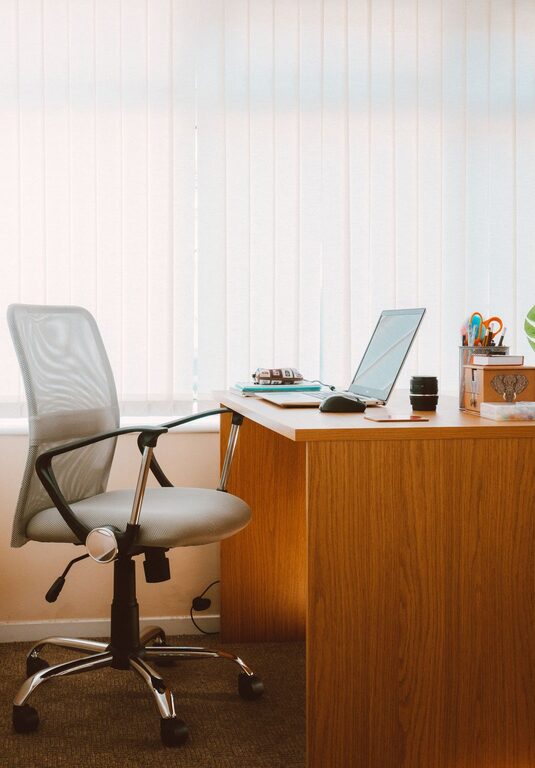
Creating a desk setup that promotes both focus and comfort is essential for anyone who spends significant time working at a desk. Whether you’re working from home, at the office, or studying, your workspace environment plays a vital role in your productivity and overall well-being. In this post, we’ll explore practical tips to help you organize and optimize your desk for better concentration and comfort throughout the day.
Why Your Desk Setup Matters
A well-designed desk setup can reduce distractions, prevent physical discomfort, and enhance your ability to stay engaged with your work. Poor ergonomics or clutter can cause fatigue, aches, and decreased motivation. By focusing on both the physical and organizational aspects of your desk, you can create an environment that supports sustained focus and good posture.
Choosing the Right Desk and Chair
Desk Height and Size
Ideally, your desk should allow you to work without hunching or stretching. The standard desk height is about 28 to 30 inches, but this can vary based on your height. You want enough space to place your computer, keyboard, and other essentials without feeling cramped.
Consider a desk with adjustable height or one designed for standing if you prefer to alternate between sitting and standing throughout the day. Standing desks can boost circulation and reduce the strain of prolonged sitting.
Ergonomic Chair
Comfortable seating is crucial. Choose an adjustable chair that supports your lower back and encourages good posture. Features to look for include:
– Adjustable seat height and depth
– Lumbar support
– Swivel and tilt functions
– Comfortable cushioning
Avoid chairs that encourage slouching or don’t offer enough support, as these can lead to discomfort and distraction.
Optimal Monitor and Screen Setup
Monitor Position
Place your monitor directly in front of you, about an arm’s length away. The top of the screen should be at or slightly below eye level. This positioning helps prevent neck strain and encourages a natural gaze.
If you use dual monitors, position your primary monitor in front and the secondary one to the side where it’s easily visible without excessive neck movement.
Screen Brightness and Glare
Adjust screen brightness to match your room lighting to reduce eye strain. Minimize glare by positioning the monitor perpendicular to windows or using curtains to control sunlight. Consider an anti-glare screen protector if needed.
Lighting for Productivity and Comfort
Good lighting is key to reducing eye strain and maintaining focus. Use a combination of natural and artificial light:
– Position your desk near a window for natural light, but avoid direct sunlight on screens.
– Use adjustable desk lamps with soft, warm light to brighten your workspace during darker hours.
– Avoid overhead fluorescent lights if possible, as they can cause discomfort or headaches.
Experiment with lighting angles to find what feels most comfortable throughout the day.
Organizing Your Desk for Minimal Distraction
Declutter Regularly
A cluttered desk can create mental clutter. Keep only the items you use daily within reach. Store other supplies in drawers, shelves, or organizers.
Use Storage Solutions
Desk organizers, trays, and file holders help keep papers, pens, and gadgets neatly arranged. Label storage containers to easily locate items.
Cable Management
Messy cables can be distracting and make cleaning difficult. Use cable clips, sleeves, or under-desk trays to keep cords tidy and out of sight.
Incorporating Comfort Elements
Wrist and Arm Support
Consider wrist rests for your keyboard and mouse to reduce strain. Adjustable armrests on chairs can support your forearms and help maintain relaxed shoulders.
Footrests
If your feet don’t comfortably reach the floor, a footrest can improve posture and circulation, reducing fatigue.
Personal Touches
Adding plants, photos, or small decorations can make your workspace feel more inviting without creating clutter. Choose items that inspire or motivate you.
Tips for Maintaining Focus at Your Desk
Take Breaks
Set reminders to stand, stretch, or walk briefly every hour. Movement helps refresh your mind and prevents stiffness.
Use Noise Control Strategies
If ambient noise distracts you, consider noise-cancelling headphones, white noise machines, or calming background music.
Keep Hydrated and Nourished
Keep a water bottle nearby and have healthy snacks accessible to maintain energy levels.
Final Thoughts
A desk setup designed with focus and comfort in mind can transform how you work or study. By paying attention to ergonomics, lighting, organization, and personal comfort needs, you create a workspace that supports productivity and wellness. Start small by adjusting your chair or clearing clutter—you’ll notice the benefits in your daily routine.
Remember, the key is to create a space that works best for your unique needs and encourages you to stay focused and comfortable throughout the day.
About the Author